Real-time basketball coaching platform
An in-game analytics platform for college basketball coaching staffs. It parses the live play-by-play feed into possessions, lineups, and running plus/minus while the game runs, and coaches log structured notes against the action as it happens. It works on the two stat feeds that between them carry nearly all of Division I and II.
- Demo slice
- 920KB
- Server writes
- 0
- Final score (OT)
- 88–90
During my two stints inside a college basketball program, the gap was always the same. The stat feed updates in real time, the film gets cut the next day, and the things a coach notices during the game live on a legal pad until they are forgotten. This platform closes that gap: it ingests the live play-by-play feed, turns it into possession and lineup analytics on the fly, and gives the staff one place to log what they see, tied to the play they saw it on.
What this page shows is a deliberate subset. The full system does live ingestion against real provider feeds; the public demo serves one complete archived game, Bryant 88 at Siena 90 from November 8, 2024, an overtime game with plenty worth annotating.
Parsing a stat feed into basketball
Division I play-by-play arrives from two providers, Sidearm Sports and StatBroadcast, each with its own format and quirks. The ingestion layer polls them every few seconds during a live game, normalizes both into one event stream, and then does the work the raw feed does not do:
- Possession boundaries. Raw play-by-play has no concept of a possession. A tracker walks the event stream and marks them, which is what makes points off turnovers, second-chance points, and fast-break points computable.
- Lineup tracking. Substitutions in official feeds are messy: IN and OUT events go missing or arrive out of order. The lineup tracker detects mismatches, recovers the common cases automatically, and flags the rest for review instead of silently producing wrong numbers.
- Validation. Aggregated play-by-play stats are checked against the official box score, and only the discrepancies are stored for investigation.
The result is the lineup view above: every five-man combination, its minutes, shooting splits, and plus/minus per minute, available while the game is still going.
The coach workflow
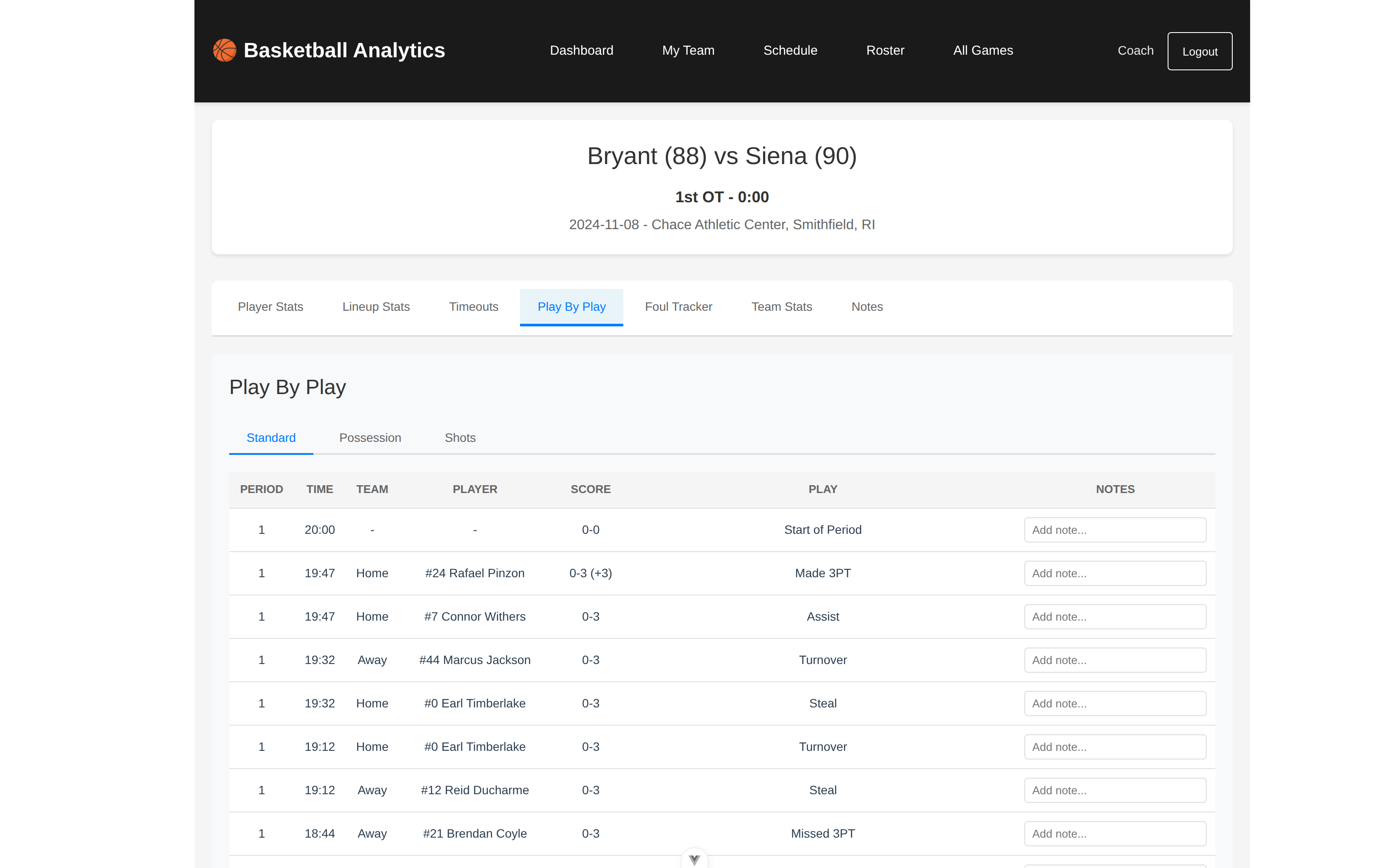
Analytics a coach cannot annotate is just another dashboard. The working surface of the platform is the play-by-play itself: every event row takes an inline note, so “they went zone after the under-16 timeout” attaches to the possession where it happened.
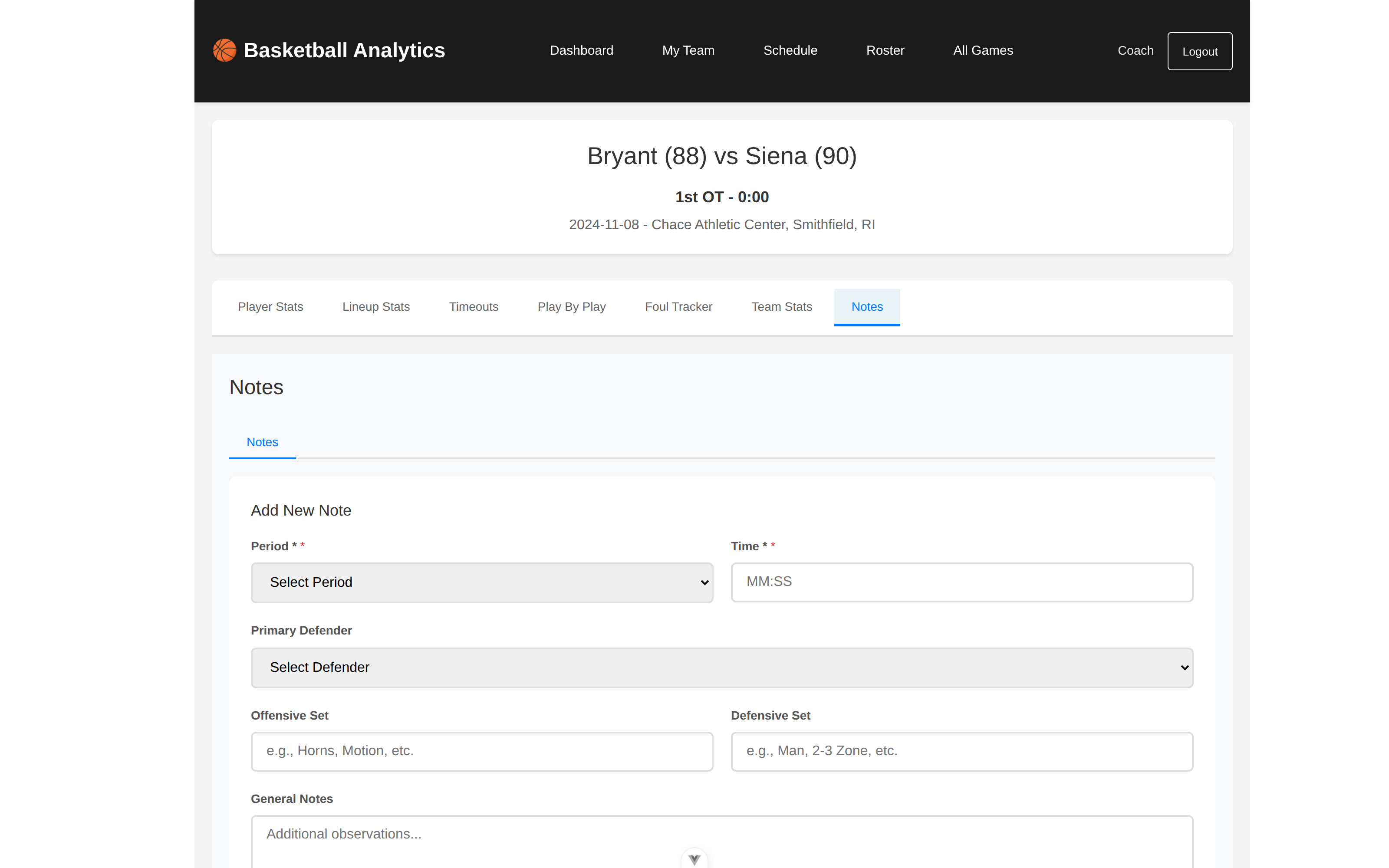
For observations bigger than one play, there is a structured note form: period and clock time, the primary defender, the offensive and defensive set, and free text. Structure is what makes notes queryable after the fact. “Every possession we ran Horns against their zone” is a filter, not an hour of film.
What the demo actually runs
The demo is honest about being a demo, and it is built to be safe in public:
- It serves a 920KB slice of the full database, cut down to the one game. The full schema is kept so foreign keys stay enforced and a bad filter fails loudly instead of quietly serving partial data.
- The server is read-only. Coach notes in the demo persist to your browser’s localStorage, so you can use the workflow for real without creating an account and without writing anything to my server.
- Auth and the multi-team views are compiled out of the demo build entirely, not hidden behind a flag check.
The full platform also carries a video pipeline: it captures the broadcast, reads the game clock off the frames with OCR, syncs it to the stat feed, and cuts clips around events automatically. That part stays private, because broadcast footage is not mine to republish, but it is the reason the data model ties every event to a timestamp in the first place.